Jlab Go Air Pop Earbuds CHARGING EARBUDS & CHARGING CASE
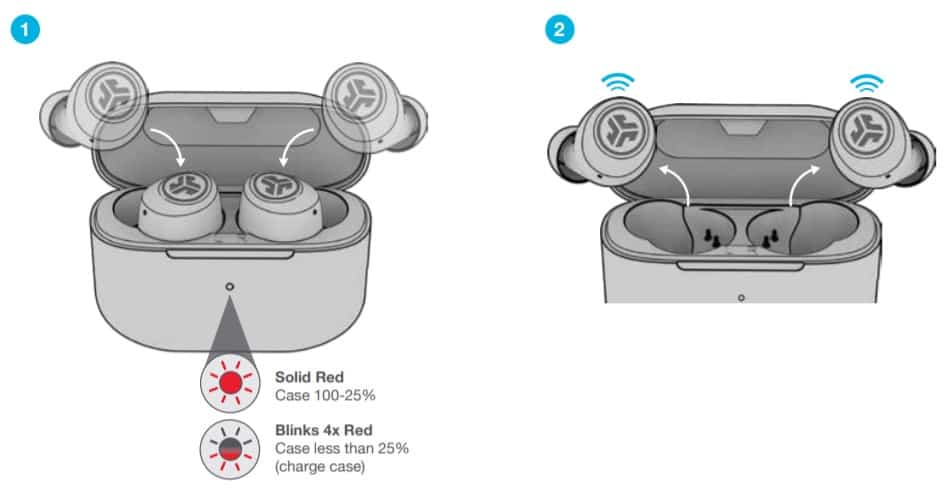
Jlab Go Air Pop Earbuds CHARGING EARBUDS
- Earbuds will power off when placed in the case and start charging the earbuds.
- Earbuds will auto power on and connect to your device when removed.
CHARGING CASE
Connect the GO Air Pop into a computer or USB 5V 1A (or less) output device.
| Charging | Blinks Blue |
| Fully Charged | Solid Blue |

https://www.guidefolder.com/


Comments
Post a Comment